


McPwny
-
Posts
454 -
Joined
-
Last visited
Posts posted by McPwny
-
-
you should be able to just post the file here in the forum. its a good idea to also include a map render when posting
-
after making a new particle system and listing it in the particlesystems index in rules.ini, use that number to call it in the fa2 trigger action.
i used to do it to make like red and green drop zone flares. i dont have my main computer so i cant give example code right now.-
 1
1
-
-
you can also make a new particle system via ini editing to get it to look the way you want
-
1
-
-
ah, that trick for attaching a smoke like effect wont work in maps because maps only parse rules.ini flags and active anims are art.ini flags.
the simplest trigger setup would be:
trigger 1, set to repeat
event 1: elapsed time (the amount of time that the particle system plays for)
action 1: play particle system at waypoint
trigger 2, one time
event 1: destroyed by anything
action 1: disable trigger 1
action 2: remove particle system at waypointreal quick and simple but of course not automatic
-
1
-
-
heh i see some of the terrain i made years ago in the screenshots
-
1
-
-
its still being constantly updated, now it has been significantly improved from the time that i made the original post.
-
if everythings black on the map editor it probably means that fa2 is looking in the wrong place for your ra2 folder. it could be a really old version of fa2 or set up wrong in that case.
anyways you can try fa2sp which is a heavily modified version of the OG fa2
https://github.com/secsome/FA2spor you can try world altering editor which is a more experimental but modernized complete remake of the map editor
https://github.com/Rampastring/WorldAlteringEditor -
it is its own dedicated .ini file that you can find by using xcc mixer and looking in ra2md.mix and then the localmd sub mix. once you see it it will all make sense, and all youve got to do is take the [genera] header i mentioned and the three lines i mentioned and put them in your map file. via text editor or via the ini editor built into fa2 both work fine
-
that looks like the entries on the list of buildings in a map, used to dictate building coords, owner, etc
the secret lab stuff is in rulesmd.ini under the [General] header. the vanilla entries areSecretInfantry=SNIPE,TERROR,DESO,YURI
SecretUnits=TNKD,TTNK,DTRUCK
SecretBuildings=GTGCANwhich means the game will pick one of these techtypes at random to give to the player upon capturing it. being a rules.ini entry, it is of course possible to add and edit these entries in the mapside ini
-
 1
1
-
-
i tested that event ad nauseam and there just isnt any way to make it register individual houses like it does in single player. if you tell us what you are trying to do exactly we might be able to devise a workaround though
-
if your booting the game via the vanilla executable the maps will be read from the installation root folder (or any expansion mixes in the root folder) and the game will look for a .yrm file extension for yr maps and a .mpr file extension for base ra2 maps
if your booting the game via the cncnet launcher, then the maps will be read from the maps>custom folder and the game will look for maps with .map file extension; you will need to change the file extension manually.thats assuming its a multiplay map. if its a campaign map then it wont be read by cncnet at all and it needs to be in the ra2 root folder and have the .map file extension
-
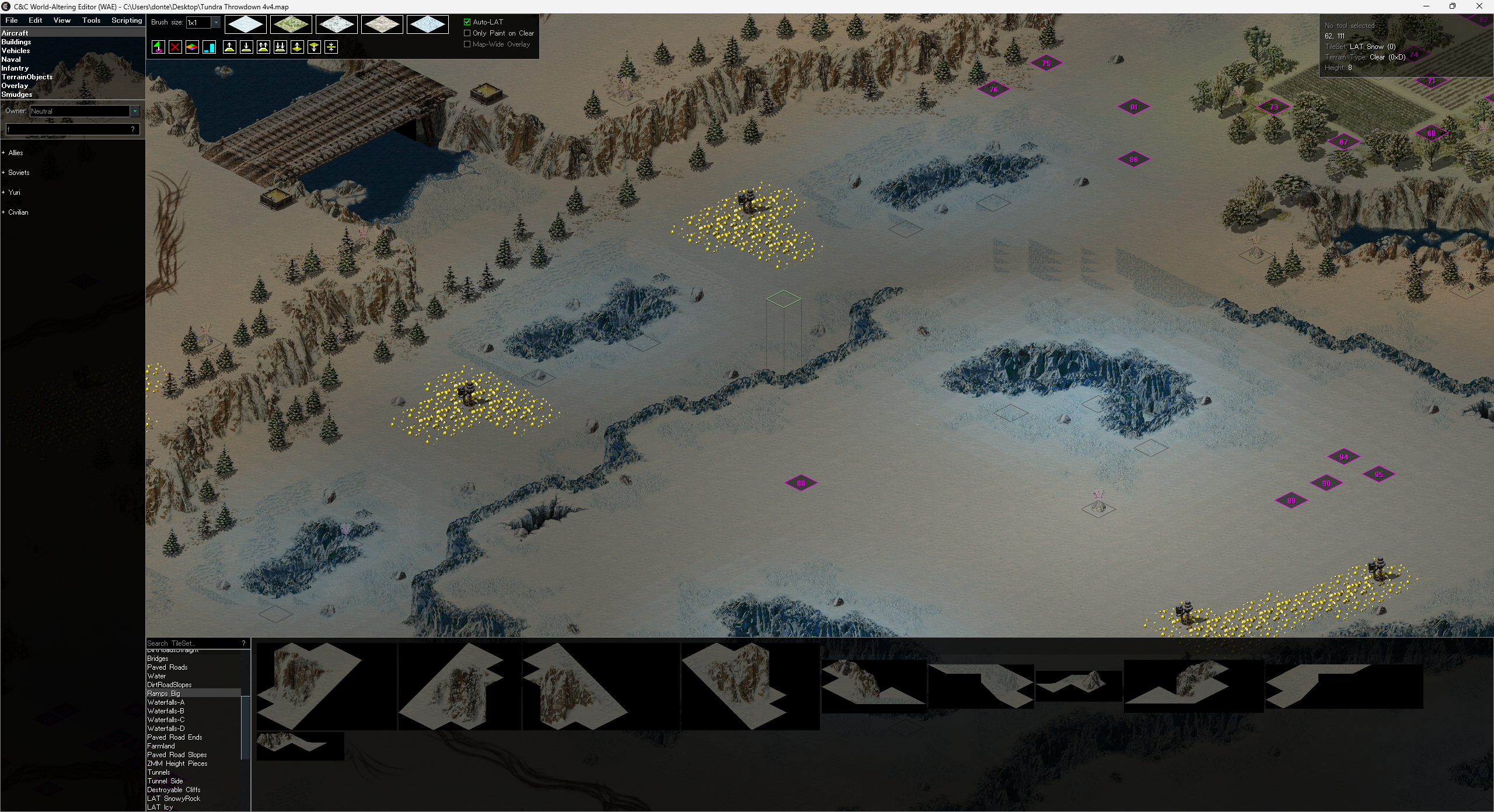
hey guys im just making a post here because i know that there is a gap between the modding community and the mapping one and i wanted to let everyone know about the recent new map editor for ra2
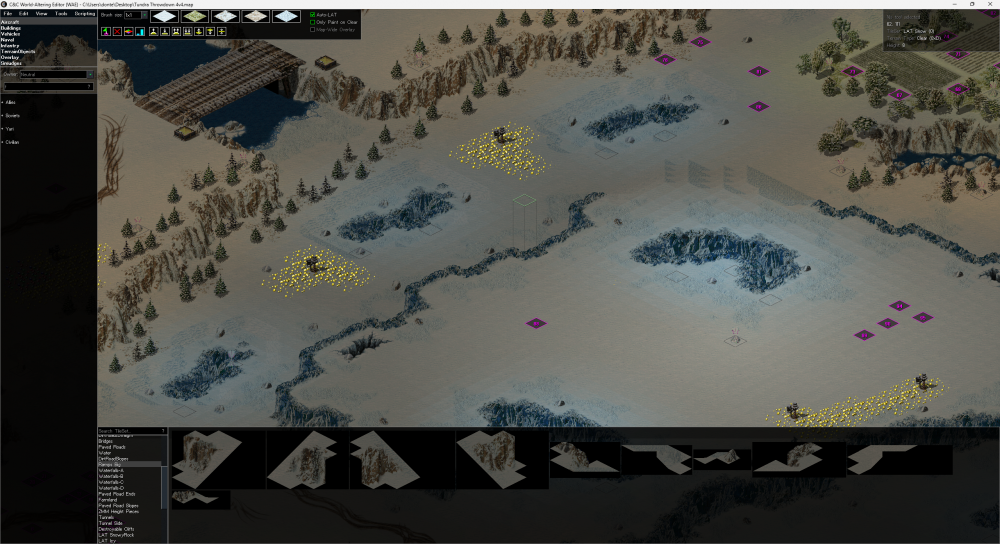
i wont make a drawn-out post but you can get it here: https://github.com/Rampastring/TSMapEditor/releases/
and dont forget to show rampastring some love for making this long-needed modernized ra2 map editor
-
1
-
-
that trigger action never has worked properly in vanilla multiplayer maps and just works for campaign. idk if mental omega maps use some kind of workaround hack or if something in their engine extension logic enables it.
-
adding new units requires editing the rules.ini and art.ini of the game and also putting the assets in a .mix file in the game folder.
editing the AI requires editing the ai ini and writing in new sections. its fairly complicated and you may want to first try scripting the AI in maps before writing AI manually.
all three of these ini files will be unique to each mod, meaning that you cant make them universally compatible across mods. you could however find an existing mod and offer to contribute to it so you dont have to specialize in so many things at once or have a monumental commitment to finishing it all yourself -
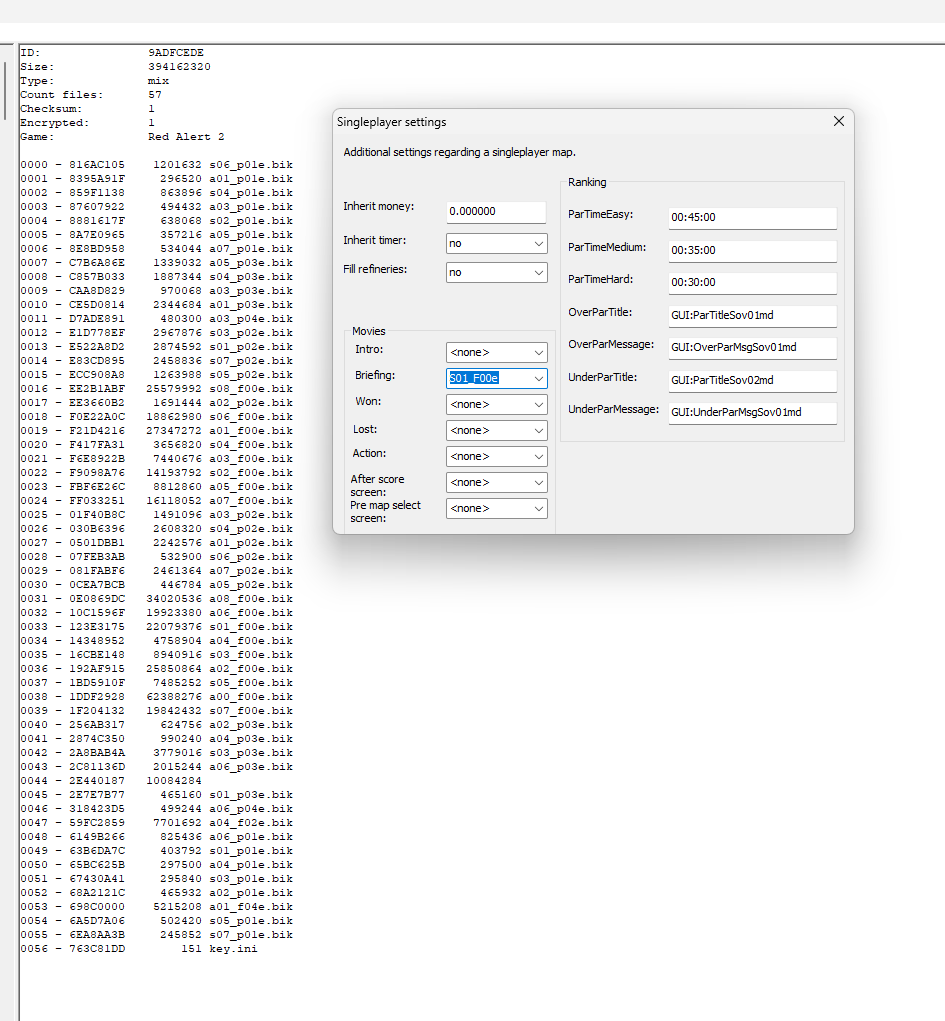
looking at the soviet mission 01 for reference it looks like it just lists the filename directly in the 'briefing' entry of singleplayer settings. you can see the corresponding filename in the movie mixes via xcc mixer
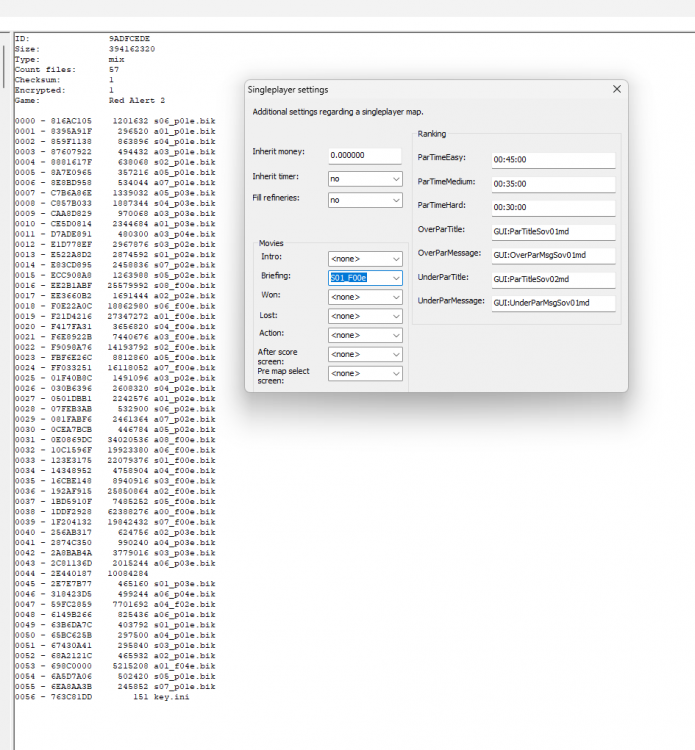
as for what input the trigger editor uses for action 100 'play movie', im not quite sure. its a numeric index and must be listed somewhere, but i cant find it atm
-
i think an mmx was actually a specialized .mix file that had the map + other data in it. if thats the case, then you may need to use xcc mixer to extract the .mpr from the .mmx 'mix' before changing it to .map
on a side note, i wonder why we dont have this format of maps anymore. could in theory allow map packets to contain extra data opening new doors for map modders.
-
1
-
-
those ambient lights are actually a 1x1 foundation structure. the game renders them as invisible and passable to units, but they are still structures and structures cant occupy the same cell. if you use them on a map, its a good idea to put them on rocks or impassable tiles. fun fact about them is if you chronosphere an mcv into an invisible lightpost, it can disappear and make the game unfinishable.
-
2
-
-
add the code into the map
[CACOLO01]
Capturable=true
you can do it via the fa2 ini editor, add the section CACOLO01 (dont add brackets to section name), then go to the section and add the key Capturable=true -
so MaximumQueuedObjects= is a rules.ini tag and rules tags generally dont have settings in FA2. you can put modified rules code into a map though. there are 3 ways to do it
1 ) if its just a small snippet of code, you can do it manually in the INI editor in FA2. so in this case just go edit>ini, and click 'add' an ini section, enter 'General' since the key "MaximumQueuedObjects=" is under the [General] header in the ini. then go to that section, and add the key and input "MaximumQueuedObjects=99" and your done
2 ) if you are doing a lot of ini editing at once, then create a new ini file and write in all of the edits you want to insert into the map. in this case you would just write
[General]
MaximumQueuedObjects=99
save the ini, and hit "insert another INI file content in fa2 and insert it. this is how I usually do map modding
3 ) if you really know what you are doing... you can run the map through the ra2 map tool to de-compress the map code, then open the map in a text editor and input the entries directly into the map. the merit of doing it like this is it makes testing changes much faster, but opening and saving it in fa2 will re-compress the file-
1
-
-
changing the renderer under options might or might not work. i can get screen recording working only with TS DDRAW (GDI) but the colors are off. im also curious to know if anyone has some advice on getting screen recording working reliably
-
its happening because your screen resolution exceeds the map size. its more of an issue with how the game behaves at large resolutions than an issue with cncnet. its kind of unfortunate, but playing at that res is usually not preferred anyways. on a side note, playing with super high resolutions generates a lot of lag ingame
-
 1
1
-
-
despite fa2 having a tunnel mode, it doesnt handle the tunnel drawing code correctly and it either corrupts, or overcomplicates the code. honestly should never be used since tunnel drawer gives more flexible and reliable results than fa2 even if can be 'fixed' with maptool. tunnel drawer here: https://ppmforums.com/topic-37881/ts-ra2-tunnel-drawer/
the tunnels themselves are called 'tubes', and the tubes are supposed to lie on a special terrain type called 'tunnel' which should be exclusive to the three cells of the tunnel terrain tile for pathing and linking purposes. on the vanilla tiles, the cells that are supposed to have the 'tunnel' terrain type are set as 'clear' making the tunnel tileset basically just an ordinary cliff. interestingly, its possible to coax units into tubes without the tunnel terrain type on the tube end, but its far from optimal. as i showed in the above post, by setting the Land= type to =Tunnel on an overlay its possible to get the tunnel terrain type on the same tile as the tube end and restore proper functionality in any theater
as a side note, i checked and found that urban theater does in fact have the tunnels correctly configured. for reference, these are the tiles that you should be linking the tubes to.
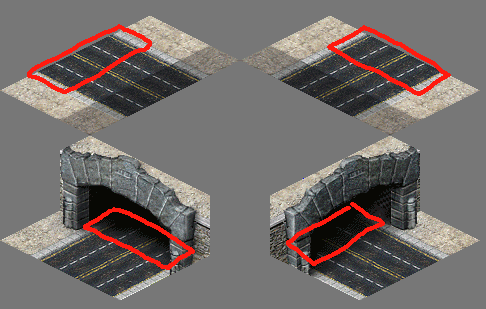
-
 1
1
-
-
presumably they did fix them, but i didnt look at them that closely and cant say definitely. fixing tunnels is a trivial affair involving nothing more than patching the existing tiles and putting tham in a .mix.
-
a little bit of a necro post, but bbglas and I have discovered a way to fix tunnels in a map; ini edit an overlay to be Land=Tunnel, and place that overlay on top of the cells marked with green in the framework tiles and then link the tunnels to make the tunnels function as they should.
this way, technically the tunnel tileset isnt even needed. the modified overlay itself acts as the tunnel node; a fact you can exploit to make any tile you want into a tunnel. for example, here i simply set the 'Land=' type of the pallet overlay to =Tunnel and linked them together. ingame, it works as a tunnel perfectly with enter cursor and all
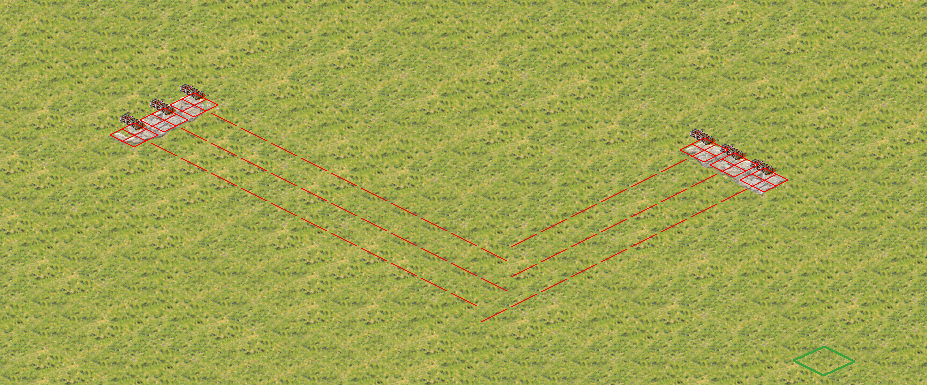
edit: bbglas made a video demonstrating it
https://youtu.be/MQ807CmD4s8
Rude private messages from TS players
in Tiberian Sun
Posted
i guess if his aim with that infantile little rant was to troll you, then it was surprisingly effective. you will just have to not speak to him, or speak to him on a level he can understand.
ur mom
lol noob
L
these responses may irreparably damage his dignity, because they convey essentially the same message but with far less keystrokes