
Messiah
-
Posts
403 -
Joined
-
Last visited
Everything posted by Messiah
-

FinalSunEditor - Unable to set starting team of a building
Messiah replied to dannyk90's topic in Mapping Discussion
I didn't know somebody is still working on FinalSun. Holland, may you upload this file on a open filehost? -
this forum is hosted in europe, so it should be ok. XD (as long your map shows titties too of course...)
-
There are 3 missions now to check out! link is in the first post. The initial mission is completed. you have to do a sneak-in commando operation and destroy a Nod laboratory. The other two missions are playable but still need some minor improvisations. - Impressions - Boom! On thin Ice Tower attack Trapped in city
-
The size seems to fit to replace the MISS building in RA. I would increase the Size of the Nod logo a little bit. Nice work nevertheless! I've done a Nod headquarters too, which is basically a modification from the soviet one. thread
-
there are actually two ways to to that: if you add a trigger with action ...add superweapon and the AI house has an iq of 4 or 5, there will be a computer-controlled attack. just placing a nuke silo is not enough. If you use version 303p, you can fire a nuke to a specified waypoint. This is not supported by RAED, you have to do it by hand: create a trigger in RAED, open the map file, search for the trigger in the map in the [trigs] section, and change the last 4 comma sections into 59,X,0,0 with X for the waypoint the nuke is fired to.
-
@bask: IQ5-AI in single-player will build both allied and soviet units sometimes. It also ignores Prerequisite and TechLevel limitations. there is a lot of stuff in RA scripting you don't really need and something is obsolete stuff abandoned by westwood (like thieved by...). I don't even know if "rescue" does anything. you have to make another trigger with the action "set global... 9". when this trigger is fired, all triggers with "global is set... 9" in event will fire. that allows more complex scripting. so you can practically add more than just 2 actions to a trigger. example: set global... 9 when the hostile harvester is under fire. make triggers for global is set 9, like production and autocreate begins, reinforcement teams, drop a nuke over players base... with virtually just 1 event.
-
Tiberian Sun getting the AI to Create teams out of existing units.
Messiah replied to Fragile91's topic in Mapping Discussion
Double-click on one of your units. Did you set Recruitable and AI Recruitable to 0? -
Mapping technical question: unit production & multiple factories
Messiah replied to Darkstar387's topic in C&C 1
I'm sure the AI randomly builds from all available factories when a team is produced. You may try this to specify the factory where something is produced in: 1. Change structure's owner to "Multi1". 2. Add a power plant, refinery and harvester (or enough money) to that house. 3. Ally Multi1 and the house of the player's opponent. 4. Change all TeamTypes which should be produced there to "Multi1" 5. Add ColorScheme=Nod or ColorScheme=GDI in the [Multi1] section of the map ini. In RA that works fine, in TD I'm not sure if more than one house is able to produce and create teamtypes. -
Loading units into a helicopter doesn't work, as I know. But it should be possible to load someone onto a LST. The evacuation of GNRL and other units on the helicopter is hardcoded and can be turned off in multiplayer missions only for now. Iran was doing some hardcode hacks for RA, maybe he is able to fix that for singleplayer too. You could write him a message. I'll have a further look on your others issues later, until then you should have a look on this awesome mapping tutorial video: https://www.youtube.com/watch?v=WVHDVnE6X6s
-
Artwork for RA and TD (in my opinion) is quite easier to do then for later games because it is in 2D only. which game do you want to mod?
-
You forgot to mention your own missions are quite good, nariac I wonder there are so many good SP missions for TD but only very few for Red Alert.
-
if you want to prevent tank rushes, I suggest to multiplicate the price of vehicles and defense buildings x3 and aircraft x2 and slow down the speed of vehicles a wee bit. makes infantry an option in gameplay.
-
Command & Conquer: Dawn of Tomorrow teaser thread
Messiah replied to Kilkakon's topic in Modding Discussion
any release date? -
I once had the Idea with two factions battling each other too. One mission was my Scavengers map, but with only one hostile base. The other mission will be featured in Kilkakons mod. I'm curoius in which way you realize this mission!
-
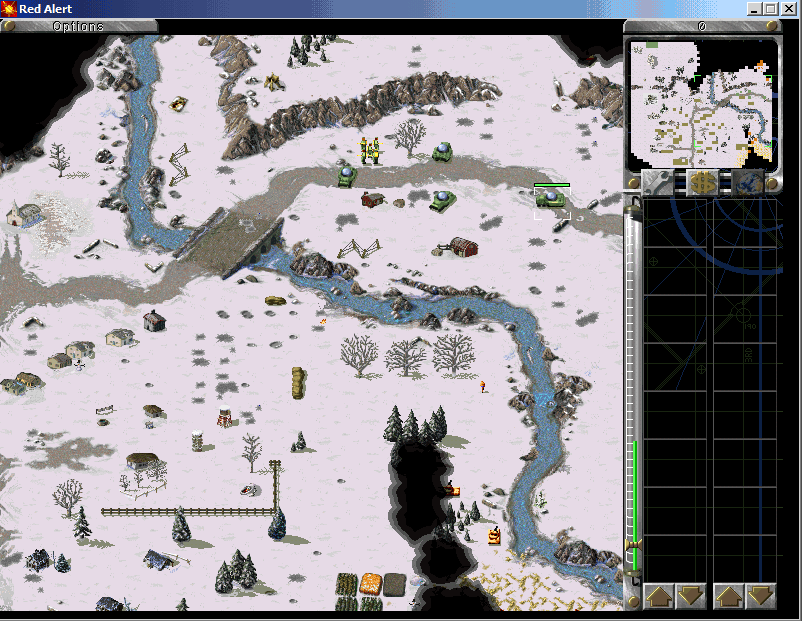
Yes, a graveyard. I 'm not really satisfied with the stuff I took from TS, I doesn't really look like part of the game yet. For now I removed the blueish tone a little bit. I put the images in a snow.mix (Interior additions already done by Allen262) and added a short missions featuring it. :yo: I would really like to see my images in RedAlert++ or CNCNet-RA! You can extract and change/modify my stuff in that way you want. Same for the additions I made for the temperate theater and all my other images. http://www.mediafire.com/file/ri655b8u6byhhse/snow.mix cmu93ea.ini
-
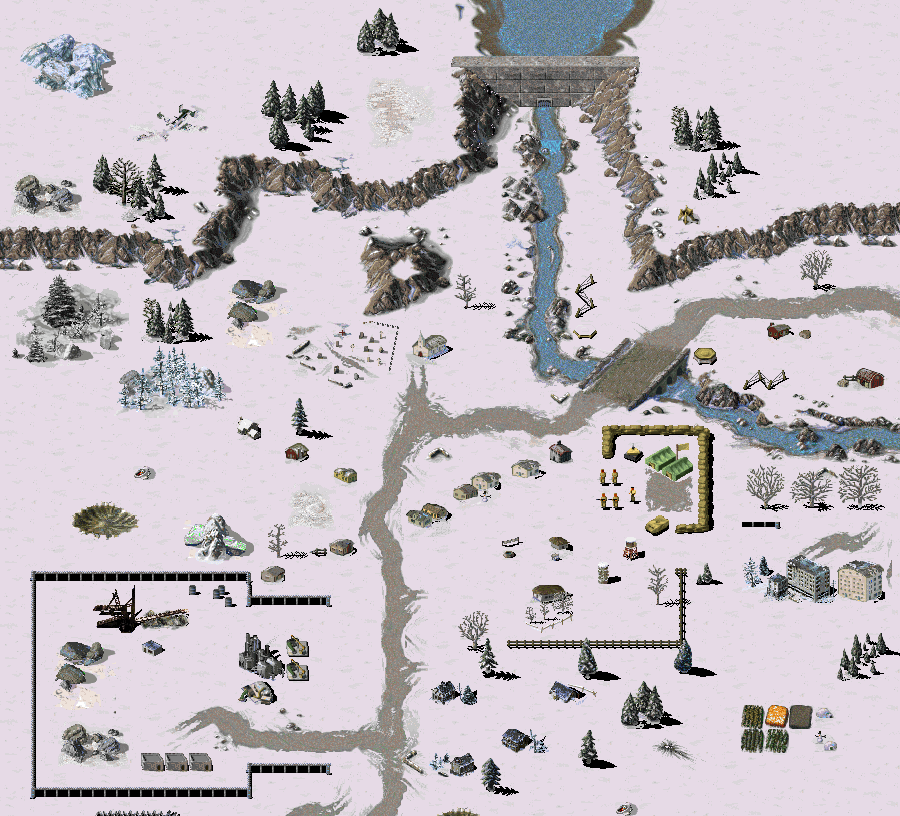
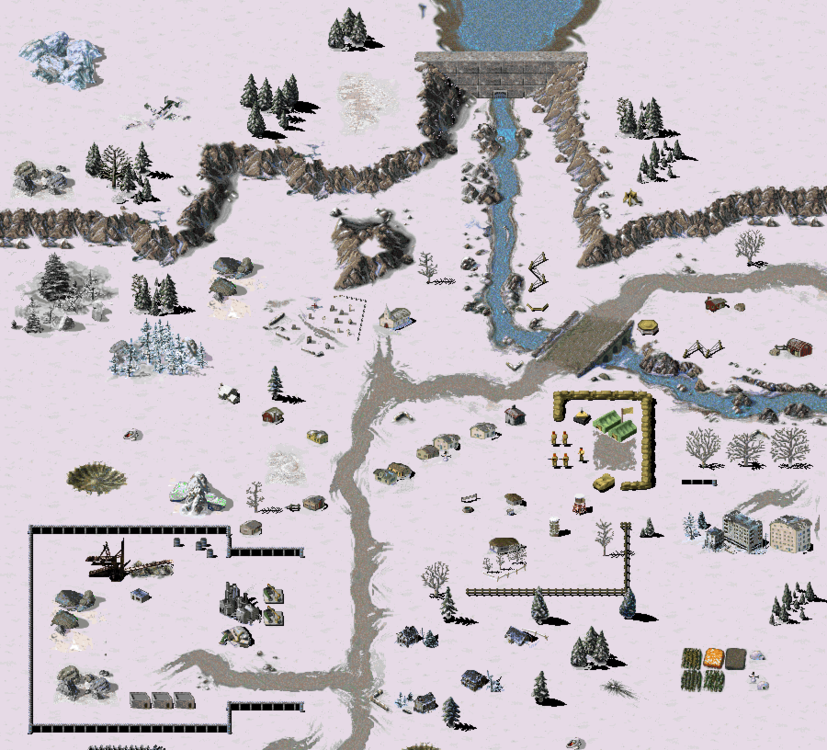
Gimped Image. Long time nobody has done new tilesets for RA, I'm active again. Most of my stuff I get by editing existing RA tiles or using images from Tiberian Sun. Some tiles like the Dam perfectly fit into the game, others still need fixing.
-
Well done! That mission kept me busy for a while, so I needed 2 hours to crack that thing by using my usual SP tactic: just defending until Nod's harvesters come to me. Only thing, the artillery in the far south above the cliff just doesn't do anything. Working gun boats already appeared in older missions (Like in GDI01), so whats new here? But I remember it was quite easy to trick them: If they target an unit/building, they keep fixed on it unless it is destroyed, by ignoring any other possible target that time. Nariac, did you look into the stuff I sent you some weeks ago?
-
why not just remove the maximums completely?
-
But my coop maps (and the whole mod) are not working online, because CNCnet overwrites my mix files. :O That exe from portableRA is from august 2014, while that one I use is from 2015 - and without version number - it shows "R????". Is there a newer one?
-
Try the exe I use for my Discovert Operations campaign. It is that one made for Tschokkys new stuff and supports all new theaters and contains everything Iran added to the game too. https://forums.cncnet.org/index.php?topic=3068
-
Yeah just send it via personal message when you have something to play!
-
I might replay the campaign when it's done.
-
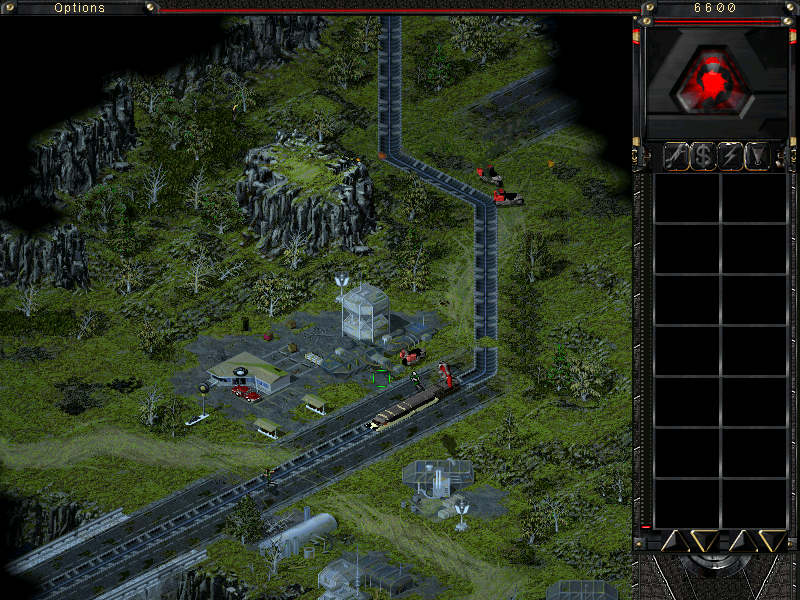
... and now it is playable! :mammoth: I placed the mod file in the first post!
-
there are even more new options: 303p IRAN options REDALERT.INI's [Options] Width= Height= DisplayOriginalMultiplayerMaps= ; Whether to display the original 24 multiplayer maps (Load MISSIONS.PKT or not) DisplayCounterstrikeMultiplayerMaps= ; Whether to display Counterstrike multiplayer maps (Load CSTRIKE.PKT or not) DisplayAftermathMultiplayerMaps= ; Whether to display Aftermath multiplayer maps (Load AFTMATH.PKT or not) ForceAMUnitsInMissions" UseDOSInterfaceMod= (yes/no) under the [Options] section controls loading DOSINTERFACEMOD.MIX, which contain the graphics. There's another keyword under the same section of the INI file; ColorRemapSidebarIcons= RULES.INI AftermathFastBuildSpeed= yes/no keyword under the section [Aftermath] ParabombsInMultiplayer= (yes/no) under the [General] [AI] FixAISendingTanksTopLeft= (yes/no) ComputerParanoidForceDisabledSkirmish=no RemoveAITechupCheck= FixAIParanoid= FixAIAlly= (yes/no) under the [AI] section of RULES.INI, when set to yes you can ally with AI players. This fix is always enabled in skirmish. FixFormationSpeed= ReenableAITechUpCheck=(Yes/No) EvacInMP=no ; Easy/Normal/Hard here refers to the handicap set on ; the AI player, handicap 'easy' makes thing easier for ; the AI player and he is harder to beat than with 'hard' ; handicap EasyAIGoldValue=300 EasyAIGemValue=350 NormalAIGoldValue=200 NormalAIGemValue=250 HardAIGoldValue=50 HardAIGemValue=150 map: [uSSR] color=1 ; play with blue color Country=0 ; play as Spain country AllyTheNeutralHouse= BuildingsGetInstantlyCaptured=yes NoBuildingCrew=yes SecondaryColorScheme= Colour= 0 - Yellow 1 - Blue 2 - Red 3 - Green 4 - Orange 5 - Gray 6 - Teal 7 - Brown/Dark Red 8 - White (not fully done) 9 - Black (not folly done) 10 - Flaming blue HouseType - Country: 0 - Spain 1 - Greece 2 - USSR 3 - England 4 - Ukraine 5 - Germany 6 - France 7 - Turkey 8 - GoodGuy 9 - BadGuy 10 (0x0A) - Neutral 11 (0x0B) - Special 12 (0x0C) - Multi1 13 (0x0D) - Multi2 14 (0x0E) - Multi3 15 (0x0F) - Multi4 16 (0x10) - Multi5 17 (0x11) - Multi6 18 (0x12) - Multi7 19 (0x13) - Multi8 ;mini camapain [bASIC] section of a map: UseAtomWhiteScreenEffectInMP=Yes UseSinglePlayerAtomDamage=Yes NextMissionInCampaign= ; next mission filename (WITH file extension) ScenarioNumber= ; The scenario number to set this mission to, this is used for internal stuff ; like default map selection animation, but also as DEFAULT next mission in map selection screen MapSelectionAnimation= ; Map selection animation filename for this mission (WITH file extension) MapSelectA= ; map selection choice A mission filename (WITH file extension) MapSelectB= ; map selection choice B mission filename (WITH file extension) MapSelectC= ; map selection choice C mission filename (WITH file extension) EndOfGame=no SkipScore=no OneTimeOnly=no ;SkipMapSelect=No Added new IsCoopMode= option to the [basic] section of a map, this enabled some single player logic like single player AI logic and allows you to make coop maps with working AI production/teamtypes/auto-create/triggers etc and working win/lose triggers. Additional documentation forthcoming. Converted the "Counterstrike Missions" menu into a "Custom Missions" one. The "Aftermath Missions" menu has been converted into an "Expansions missions" one. The expansion missions will be displayed in this menu. The custom missions menu displays map files CMU01EA.INI up to CMU999EA.INI. Make sure the custom mission has OneTimeOnly= set to 'Yes' or the game will crash after showing the score screen or glitch up. Make sure the [basic] section of the map is at the top, or the game might not read it (this happens with all maps). Added a new map keyword UseCustomTutorialText= (Yes/No) under the [bASIC] section. This keyword can be used to load custom tutorial text strings for your map. If enabled the map file will be used as TUTORIAL.INI file, meaning text strings are read from the [TUTORIAL] section of the map in the same format as in TUTORIAL.INI. If the keyword is missing TUTORIAL.INI tutorial text strings are loaded. MUSIC.INI control file, it should look like: ; music.ini file for extra music addon [Fullnames] 1=The Second Hand (Retaliation) [Filenames] 1=2nd_hand.AUD [Tracklength] 1=283 ; in seconds Added new map trigger actions which can be used in both multiplayer and singleplayer maps/missions. You'll have to manually edit the [Trigs] section of the map to use them as no map editor supports them yet. See the [Trigs] section chapter in the Red Alert Single Player Mission Creation Guide for more info. A quick summary for a trigger in the [Trigs section]: R1 is trigger action one and p1, p2 and p3 are its parameters. R2 is trigger action two and it also has three paramters. You need to edit those parts of the trigger line to use these new triggers. name=1,2,h,i,T1,p1,p2,T2,p1,p2,R1,p1,p2,p3,R2,p1,p2,p3 Here's the list of new triggers: Give_Credits_Action: ID = 40, parameter 1 = HouseType of the house to give credits, parameter 2 = amount of credits to give (negative amounts work) Add_Vehicle_To_Sidebar_Action: ID = 41, parameter = Vehicle internal ID number to add to sidebar (Trigger owner is used for which house to add to sidebar for) Add_Infantry_To_Sidebar_Action: ID = 42, parameter = Infantry internal ID number to add to sidebar (Trigger owner is used for which house to add to sidebar for) Add_Building_To_Sidebar_Action: ID = 43, parameter = Building internal ID number to add to sidebar (Trigger owner is used for which house to add to sidebar for) Add_Aircraft_To_Sidebar_Action: ID = 44, parameter = Aircraft internal ID number to add to sidebar (Trigger owner is used for which house to add to sidebar for) Add_Vessel_To_Sidebar_Action: ID = 45, parameter = Vessel internal ID number to add to sidebar (Trigger owner is used for which house to add to sidebar for) Set_View_Port_Location: ID = 50, parameter 1 = Waypoint to center viewport around (Trigger owner is used for which house to set view port location for) Set_Player_Control: ID = 51, parameter 1 = HouseType to set PlayerControl, parameter 2 = turn player control on/off (1/0) (Trigger owner is used for which house to give player control) Set_House_Primary_Color_Scheme: ID = 52, parameter 1 = HouseType to set primary color for, parameter 2 = PlayerColorType to set to Set_House_Secondary_Color_Scheme: ID = 53, parameter 1 = HouseType to set secondary color for, parameter 2 = PlayerColorType to set to Set_House_Build_Level: ID = 54, parameter 1 = HouseType to set tech level for, parameter 2 = desired tech level Set_House_lQ: ID = 55, parameter 1 = HouseType to set IQ, parameter 2 = desired IQ level House_Make_Ally: ID = 56, parameter 1 = HouseType to force make ally another house, parameter 2 = HouseType of the house that will be allied House_Make_Enemy: ID = 57, parameter 1 = HouseType to force make enemy another house, parameter 2 = HouseType of the house that will be enemied Create_Chronal_Vortex: ID = 58, parameter 1 = waypoint to create chrono vortex at Nuke_Strike_On_Waypoint: ID = 59, parameter 1 = waypoint to drop nuke on Capture_Attached_Objects: ID = 60, parameter 1 = HouseType that will capture the attached objects ( you need to attach the trigger to the objects to capture) Iron_Curtain_Attached_Objects: ID = 61, parameter 1 = Amount of frames the Iron Curtain effect will be active for or -1 to use the duration defined in RULES.INI, can be used to remove the Iron Curtain effect to by using 0 as parameter (you'll need to attach the trigger to the objects to Iron Curtain) Create_Building_At_Waypoint: ID = 62, parameter 1 = StructType to build, Parameter 2 = waypoint to create, Parameter 3 = HouseType that will be the owner Set_Mission_Attached_Objects: ID 63, parameter 1 = MissionType to set (Setting buildings to mission "Selling" will sell them, mission "Repair" DOES NOT repair buildings) Repair_Attached_Buildings: ID 64, no parameters New_Chrono_Shift_Attached_Objects: ID = 65, parameter 1 = waypoint to chronoshift attached objects to Chrono_Shift_Trigger_Object: ID = 66, parameter 1 = waypoint to chronoshift trigger object to (chronoshifts the object that triggered this trigger event, e.g. "Entered By..") Iron_Curtain_Trigger_Object: ID = 67, parameter 1 = frames duration for Iron Curtain effect (Iron Curtains the object that triggered this trigger event, e.g. "Entered by..") ______________________ [badGuy] BuildingsGetInstantlyCaptured= (yes/no) and NoBuildingCrew= [General] ForceSingleCPU= [AI] ; Easy/Normal/Hard here refers to the handicap set on ; the AI player, handicap 'easy' makes thing easier for ; the AI player and he is harder to beat than with 'hard' ; handicap EasyAIGoldValue=300 EasyAIGemValue=350 NormalAIGoldValue=200 NormalAIGemValue=250 HardAIGoldValue=50 HardAIGemValue=150 [WinHotkeys] add: KeyMapSnapshot= [unit] Crusher= [basic] UseAtomWhiteScreenEffectInMP=Yes UseSinglePlayerAtomDamage=Yes Yeah, the Mission_Spy() code has a call to Mission_Attack() which has special Chrono Tank teleport code, I could change it so it applies to all vehicles instead of just Chrono Tanks. Can you give me a test mission/map? ;I tired the basic yes/no and True/False but didn't work for the Foward Comand Center [FCOM] in the rules or being placed on a building in a map. BuildingsGetInstantlyCaptured= NoBuildingCrew= AllyTheNeutralHouse= BuildingsGetInstantlyCaptured= (yes/no) is a house specific option like Color= and Country= Aircraft: IsPlane= Is a fixed wing aircraft and need airstrip [yes/no] (If not listed on aircraft the game will assume the aircraft is a helicopter) Rotor= [yes/no] IsAPC= [yes/no] (Like transport helicopter) One key I would like for my own lols is a key like the Carryall= Tib Sun. Maybe this could be done by using the load and unload logic from the transport [LST] so vehicles could be loaded on to a helicopter. Ships: Turret= [yes/no] (I'm fine with center mouted turret like the Destoyer has but away to turn the turret logic off so more subs could be made is needed), IsLST= Can this ship load and unload vehicle or infantry [yes/no] IsCarrier= Can this ship load and launch helicopter? (It would be really cool if comd be made into 2 keys. For the current Helicarrier logic and one for a new a carrier logic that uses fixed wing aircraft like the Yak and MiG.) Buidlings: Foundation = the size of the building (This may need a Height= like Tib Sun so maybe Foundation= would use the name of stock building like POWR and your new buiding would use the Power Plant's foundation and height), Factory = type of object to build [infantryType, AircraftType, UnitType, BuildingType, VesselType] and IsGunTurret= [yes/no] (This would be the same as Turret= for unit and make the game use the 128 frame logic of the Gun Turret and AA Gun.) Infantry: IsEngineer=, IsMedic, IsMechanic=, IsSpy= and IsThief=. 61. Converted the "Counterstrike Missions" menu into a "Custom Missions" one. The "Aftermath Missions" menu has been converted into an "Expansions missions" one. The expansion missions will be displayed in this menu. The custom missions menu displays map files CMU0EA.INI up to CMU999EA.INI. 62. Added a new map keyword TutorialFile= under the [bASIC] section. This keyword can be used to load a custom TUTORIAL.INI file for your map. E.g. "TutorialFile=DERPTUT.INI", to load DERPTUT.INI. If the keyword is missing TUTORIAL.INI is loaded. I added support for adding new UnitTypes (vehicles) to the game, they internally are setup like the Medium Tank but you can use RULES.INI keys to configure the newly added vehicle. I'll have to add more useful RULES.INI keys for vehicles in the future. Example of adding a new vehicle called 'DERP': [unitTypes] 0=DERP .. ; 2TNK medium tank clone [DERP] Prerequisite=weap Primary=90mm Strength=400 Armor=heavy TechLevel=6 Sight=5 Speed=8 Owner=allies Image=2TNK ; use 2TNK.shp and 2TNKICON.shp instead of DERP.shp and DERPICON.shp Cost=800 Points=40 ROT=5 Tracked=yes Crewed=yes Those are straightforward to add but it requires a lot of time, I first need to setup a system for every type to extend them and to clear the extended memory when loading savegames (with extra check for 3.03 savegames), clear memory when loading a scenario and I need to get a system working to extend TechnoTypeClass memory for every derived type. Anyway, I've added support for adding new infantry (set up like E1 internally), buildings (set up like ATEK internally), aircrafts (set up like HELI internally) and vessels (set up like DD internally). Adding new vessels at the moment isn't practical as drawing the turrets on them is hard-coded based on their ID, e.g. it checks if the vessel has the ID for the Cruiser to draw the Cruiser turrets, etc. [VesselTypes] 0=DD2 1=DD3 [AircraftTypes] 0=HII2 1=HII3 [buildingTypes] 0=HERP 1=DERP [infantryTypes] 0=FLAM 1=OFFI I added support for adding new animations to the game. I haven't tested adding a new one. If someone could give me a setup with a few added animations to the game I could start making animations configurable. Internally added animations are setup like FBALL1. I think there's the same refresh area or something like that and possibly the same sound attached to the animation. [AnimTypes] 1=HUE 2=DEEE ... ; wizard's fireball [Fireball] Animates=yes Image=FB1 Frames=8 coming: UseOilDerrickLogic= (yes/no) OilDerrickCaptureReward= OilDerrickMoney= OilDerrickFrameTimer=