
-
Posts
1480 -
Joined
-
Last visited
Everything posted by RaVaGe
-
Out of 900 players only 12 seem to care, I don't mind changing it, but it won't be on the priority list.
-
@lhtkick you can't advertise pirate download links on CnCNet.
-
Shift + left click continuously paints the select tile without needing to click, kind of like a brush tool would in graphics editing software, such as Paint or Photoshop.
-
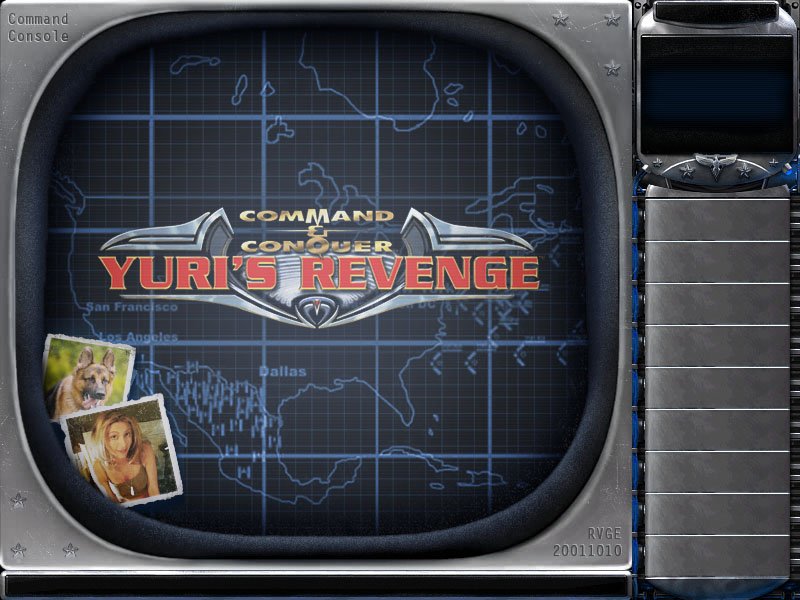
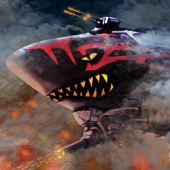 It's a very impressive theme considering all the sci-fi graphics and the new sound effects, I'm glad I could inspire you. The only issues are the re-coloured logos, Yuri's Revenge logo should be the same color as original same like Grant said about the CnCNet logo.
 -
@YosefAnan Why don't you make a thread about your new theme? Include your screenshots and video. Before you release it for download I recommend you optimize the file sizes of all the images and sounds by keeping them as small as possible. I recommend https://tinypng.com/ to compress your images. Thanks to this my theme is less than 1MB.
-
@CZ-Kazu Not as far as I know. You will need to create a blank map 200x200 and then paint the water all over the map.
-
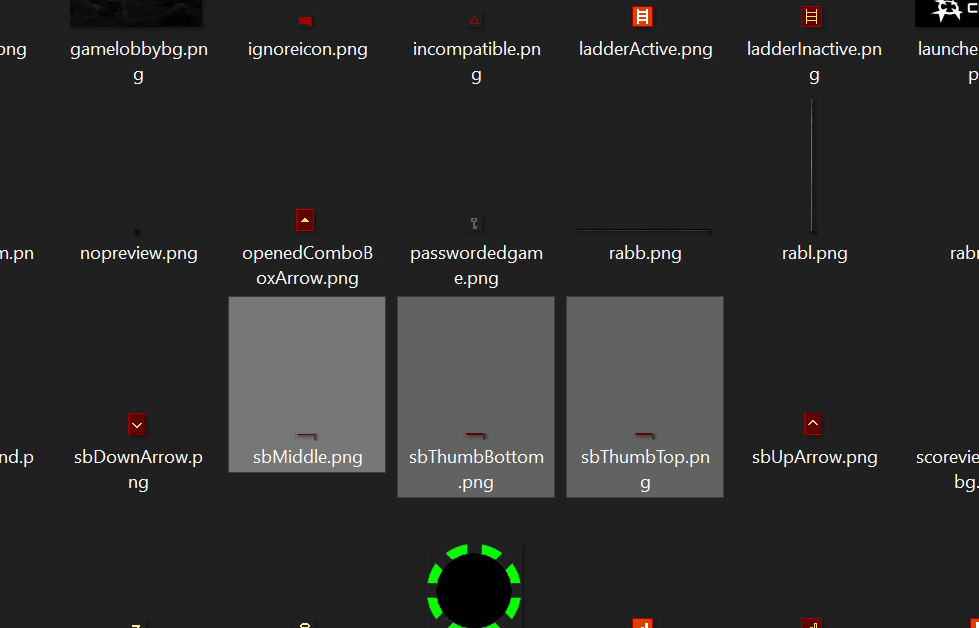
@YosefAnan You should be more active in our CnCNet creatives Discord, there are more people there to answer your questions and give you feedback on your designs. See below for trackbar graphics.
-
Not sure if that's possible @YosefAnan ask @Rampastring either here or on CnCNet Discord.
-
Added Useful Add-ons to the first post, which include a set of scripts for Final Alert 2 that automate some common map modifications. The download includes the following scripts and a README file with instructions on how to install and use the scripts. Enhanced Lighting System Disable Naval Yards Set Map Author Download in the first post of this thread.
-
Yes. How to change your theme Open the CnCNet Client Make sure your version is on >= 6.2 Go to Options and select Display Under "Client Theme" select the theme you want. Okay, make it!
-
Big problem with CNCNET's RA2 / YR ore grow algorithm.
RaVaGe replied to CCCP84's topic in Red Alert 2
@CCCP84 Posting torrent downloads of C&C RA2 / YR is against the rules of CnCNet as the game is still copyrighted and not freeware. -
Big problem with CNCNET's RA2 / YR ore grow algorithm.
RaVaGe replied to CCCP84's topic in Red Alert 2
v1.006 is specific to Red Alert 2 not Yuri's Revenge. I've also heard claims around the community that a certain update to RA2/YR caused the ore from generating properly. There's no way to know for sure without testing, you can let the game run in the background and see if the ore regenerates over time. -
Big problem with CNCNET's RA2 / YR ore grow algorithm.
RaVaGe replied to CCCP84's topic in Red Alert 2
This seems to work differently on a per map basis. For example on the map Hidden Valley the ore generates just fine and a bit excessively sometimes, while I've noticed that on some other maps it doesn't grow as fast or barely at all. -
Images for comparison.
-
Make a poll if it's so probable and I'll change it based on majority opinion.
-
@thehug0naut Try using the ddraw.dll posted in the first post, not sure if it will load in Wine, but worth a shot. Copy it into the Final Alert 2 directory. The 'metallic' texture you mentioned is the remap colour which changes based on player colour. It is displayed correctly in the map editor. The game and the map renderer just render it differently.
-
Updated map renderer download to v2.3.2 which fixes some bugs. Updated some screenshots in the map rendering guide.
-
An official update is on the way.
-
An official update is on the way.
-
I thought each client is unique for that game, so you can change features on a game to game basis per community preference? I know this is your preferred method of organising information but not all players are going to register on github to voice their support for this feature. Maybe a forum or Discord poll would be a more effective method. I too find this manual download thing confusing and obnoxious in terms of user experience, you can't even see the map preview or any information about the map to help you make an informed decision wether to download or not. As it stands it just adds an unnecessary step to playing custom maps and further incentivies adding popular unofficial maps to the client side map pool.
-
Does anyone want this them updated for the latest client version?
-
Does anyone want this them updated for the latest client version?
-
Wow, that's amazing.... Wonderful post right there.
-
This bug has been known by the competitive community & staff for years, it's not easy to fix and requires a lot of time from an experienced software developer. @dkeeton
-
If you play at 800x600 the resolution that was standard back when the game was released, you will see rhino turrets with "saw teeth" also known as Aliasing. It's less visible at higher resolutions because the saw teeth become smaller.